In the context that more and more SME businesses in Vietnam have to “cut their coat according to their cloth” with limited information technology (IT) budgets, choosing the right equipment becomes crucial. A solution that many units are choosing is Compact PC – a small form-factor desktop computer that still packs enough power for everyday work.
Compact PC helps solve 3 common problems of small businesses:
- Space-saving: small office, desks close together, cannot accommodate bulky computer cases.
- Cost savings: both initial investment costs and long-term operating costs (electricity, maintenance,…).
- Flexible deployment: easy to move, integrate with existing systems, and no need for complex technical teams.
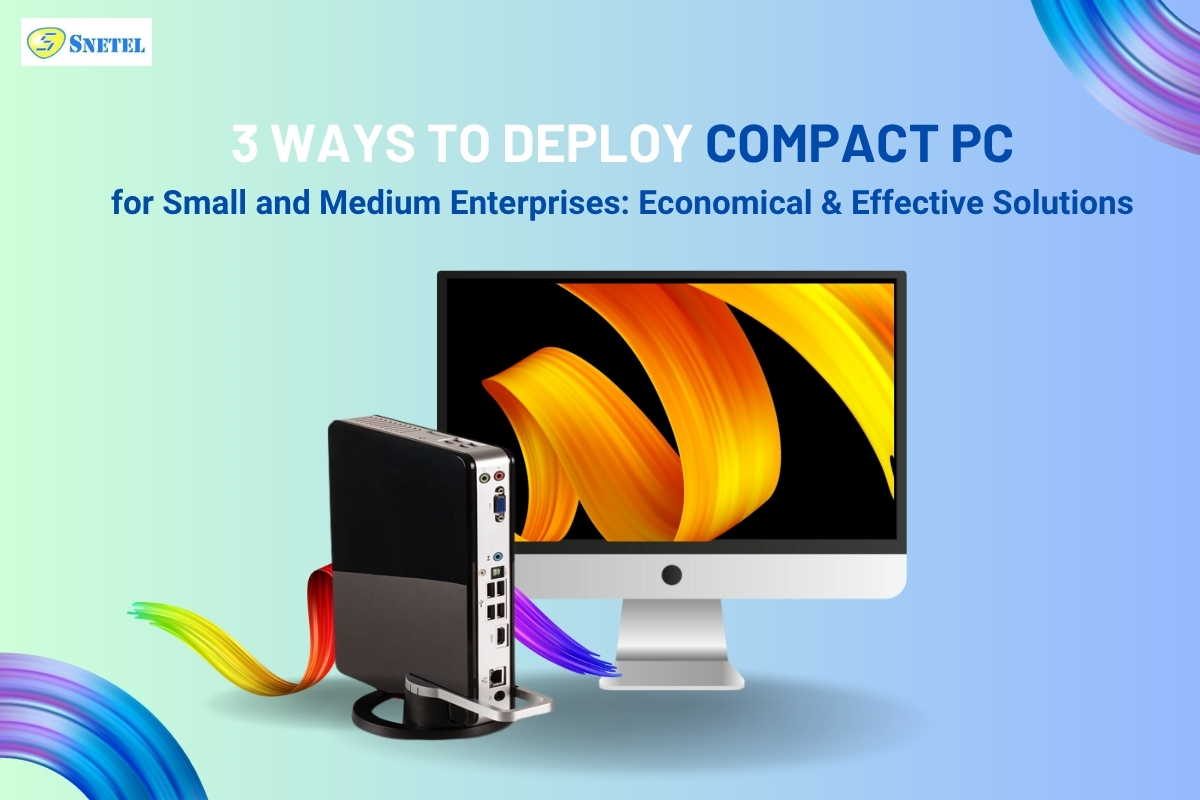
What is a Compact PC and is it suitable for SMEs?
Compact PC – Definition & Benefits
Compact PC is a desktop computer designed to be minimal in size but still ensures stable processing for office tasks. While a regular desktop computer takes up a corner of the desk, a Compact PC only takes up 1/3 to 1/5 of the space – small enough to sit next to or behind a monitor.
| Criteria | Compact PC | Traditional Desktop |
| Size | Ultra-compact | Bulky |
| Power Consumption | 10 – 60W | 100 – 500W |
| Performance | Office task-ready | Higher power, more electricity |
| Price Range | 5 -15 million VND | 10 – 30 million VND |
Why should SMEs consider it?
- Space-saving: can be mounted behind the monitor, placed under the table, or neatly arranged in a technical cabinet.
- Lower energy usage: smaller machine, no need for a large fan, significantly lower power consumption.
- Stable performance: handles daily tasks well such as accounting, text, email, CRM software…
- Minimize incidents: simple design, integrated components, and reduced the risk of hardware failure.
3 Ways to Effectively Deploy Compact PC for SMEs
1. Use as an office workstation
This is the most common and easiest way to apply. Compact PCs are fully capable of replacing traditional desktops in office environments.
🔧 Suggested deployment:
- Choose models with minimum configuration: Intel Core i3 or Ryzen 3, 8GB RAM, 256GB SSD.
- Connect to monitor, keyboard, mouse as usual.
- For even more space efficiency, mount behind the monitor (support VESA standard).
👍 Advantages:
- Cleaner, less cluttered workspaces.
- Quiet operation and less heat, improving comfort.
- Save 30 – 50% in power consumption compared to traditional desktops.
2. Applications for meeting rooms, reception and presentation
Compact PCs are ideal for zones where do not require high performance but require neatness and stability, such as:
- Meeting rooms (video conferencing, presentations)
- Reception (information display, check-in)
- Internal training room
🔧 Suggested deployment:
- Choose a model that can be mounted behind the screen or has built-in Wi-Fi/Bluetooth.
- Pre-install online display software, remote presentation (Zoom, Google Meet, MS Teams …).
- If using a touchscreen, the Compact PC can be combined as a simple kiosk.
👍 Advantages:
- Quick start-up, intuitive interface.
- No need to pull complicated wires, easy to manage remotely.
- No noise during meetings or training.
3. Build a shared machine system (multi-seat)
A more advanced implementation is to use a Compact PC as a multi-user server, especially suitable if the business wants to save on hardware costs while still ensuring productivity.
🔧 Suggested deployment:
- Use a Compact PC with a high-performance (Core i7/Ryzen 7, 16GB RAM).
- Install software like Aster Multiseat, SoftXpand, or VMware for resource sharing.
- Connect multiple sets of monitors, keyboards, and mice for 2–3 users per unit.
👍 Advantages:
- Reduce the number of devices to buy – only need 1 Compact PC instead of 3 separate machines.
- Optimize space, and simplify data management.
- Lower maintenance and upgrade expenses.
Notes when deploying Compact PC for businesses
- Clearly define usage needs:
A normal office only needs an i3/i5 CPU and 8GB RAM. If there is a need for light design and image processing, consider adding low-profile dedicated graphics cards. - Check internal software compatibility:
Some accounting, ERP, CRM software may require specific configurations or operating systems. Always verify compatibility before scaling deployment. - Choose trusted suppliers:
Purchase from reputable vendors offering clear warranty terms and technical support. Prioritize major brands such as HP, Dell, Intel, Lenovo, etc.
Compact PC – Smart solution for SMEs
Compact PCs are not just a cost-saving choice – they represent a strategic step toward modernizing your IT infrastructure. With 3 flexible and proven deployment models, SMEs can optimize office operations without a large investment.
👉 Ready to upgrade your office with Compact PCs?
Get in touch today, and our technical team will help you choose the right configuration for your needs and budget!